


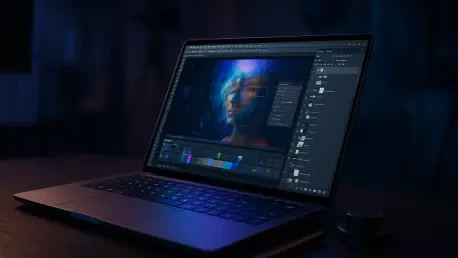

The convergence of gaming and creative hardware is exemplified by machines that offer high refresh rates alongside ninety-five percent Adobe RGB color accuracy. As high-resolution sensors exceeding 100 megapixels become standard across the commercial photography industry, the demand on portable hardware has shifted from simple processing to a complex orchestration of neural computing and advanced thermal management. The current landscape of 2026 has seen a definitive move toward machines that act as portable darkrooms, where the physical display is no longer a bottleneck but a calibrated reference point for high-dynamic-range (HDR) content. For professionals, the primary challenge is no longer finding a machine with enough raw power to open a file, but rather finding a system that can seamlessly integrate generative AI tools into a non-destructive workflow without significant latency. This evolution necessitates a deep dive into how modern silicon handles the parallel tasks of color grading, AI masking, and local tone mapping in real-time, ensuring that the creative process remains fluid and uninterrupted by technical limitations.
The New Standard: Integration of Neural Processing Units
The rise of AI-integrated features in modern editing suites has fundamentally altered the hardware landscape, making the Neural Processing Unit (NPU) as critical as the central processor. Traditional photo editing was once dominated by single-core CPU performance, but the current year has seen a massive shift toward offloading complex tasks like object selection, generative fill, and advanced noise reduction to dedicated AI silicon. These specialized cores allow for near-instantaneous execution of tasks that previously required minutes of rendering. A professional machine must now balance the high-frequency requirements of the CPU with the massive parallel processing capabilities of the GPU and the efficient, specialized logic of the NPU. This synergy ensures that software like Adobe Photoshop and Lightroom can perform sophisticated background tasks, such as automated metadata tagging and facial recognition, without stealing cycles from the primary image manipulation process, thereby maintaining a responsive user interface during heavy workloads.
Beyond mere speed, the modern reliance on NPU technology has significant implications for thermal efficiency and battery longevity. By moving repetitive AI tasks to more efficient silicon, laptops can maintain a lower internal temperature, which prevents the dreaded thermal throttling that often plagued earlier generations of high-performance mobile workstations. For a photographer working on location, this means the ability to run complex denoise algorithms on a full wedding gallery or a commercial shoot without hearing the roar of cooling fans or seeing a drastic drop in battery percentage. The efficiency of these AI-optimized chips has reached a point where the performance-per-watt allows for sustained, high-intensity editing sessions away from a power outlet. Consequently, the selection of a laptop in 2026 is heavily dictated by how well the hardware vendor has optimized their software drivers to leverage these neural engines, transforming the laptop from a simple calculator into a proactive assistant in the digital darkroom.
The Pinnacle of Performance: Apple Silicon and High-End Displays
The Apple MacBook Pro, powered by the M5 Pro chip, remains the industry benchmark for professionals who demand a cohesive ecosystem and uncompromising display quality. This latest iteration features an 18-core CPU and a 20-core GPU, which provides the necessary bandwidth to handle massive 16-bit TIFF files and multi-gigabyte panoramic stitches with zero lag. The defining feature of this machine is the Liquid Retina XDR display, which has been refined to offer even higher peak brightness levels for HDR editing. With a sustained brightness that allows for accurate outdoor viewing, the display ensures that the photographer is seeing a true representation of the sensor’s data. By making 24GB of unified memory the entry-level standard, the system avoids the memory swapping issues that can slow down workflows when multiple high-resolution images are open simultaneously in different applications.
The integration of macOS with the hardware architecture allows for a level of stability that is often difficult to replicate in more fragmented ecosystems. For photographers, this translates to a predictable experience where color management profiles are handled with extreme precision across the entire operating system. The M5 Pro’s efficiency also means that the device can provide full performance even when running on battery, a feature that remains a critical advantage for those who travel frequently for assignments. The unified memory architecture ensures that the GPU has instant access to the data it needs for hardware-accelerated filters and brush strokes, resulting in a tactile, responsive feel that mimics traditional media. This machine is not just a tool but a reliable foundation for a professional career, offering the longevity and build quality required for daily use in demanding environments, from studio sets to remote landscapes.
Windows Alternatives: Specialized Innovation and Flexibility
For those within the Windows ecosystem, the ASUS ProArt P16 has emerged as a formidable competitor that specifically targets the needs of high-end visual creators. Equipped with the AMD Ryzen AI 9 HX 370 and a dedicated NVIDIA RTX 5070 GPU, this laptop provides a level of raw graphical power that is particularly useful for photographers who also dabble in high-resolution video or complex 3D rendering. The standout feature is the 4K OLED display, which offers an infinite contrast ratio and deep blacks that are essential for fine-tuning shadows and low-light photography. The inclusion of the ASUS Dial, a physical or haptic rotary controller integrated into the chassis, provides a tactile way to adjust brush sizes, opacity, and zoom levels, which can significantly speed up the retouching process for professionals who value haptic feedback.
The versatility of the Windows platform also allows for a wider range of hardware configurations, such as the ASUS ROG Zephyrus G16, which bridges the gap between high-performance gaming and professional creative work. This hybrid approach is beneficial for photographers who need a machine that can handle both the rigors of an intensive editing session and the high-frame-rate requirements of modern visual software. With an Intel Core Ultra 9 285H processor and a 2.8K OLED screen, it offers ninety-five percent Adobe RGB coverage, which is more than sufficient for high-end digital publishing. The expansion of the Windows AI ecosystem through Microsoft Copilot+ features further enhances the editing experience, providing integrated tools for file organization and workflow automation. This diversity of hardware ensures that photographers can choose a machine that matches their specific aesthetic preferences and technical requirements without sacrificing the power needed for modern image processing.
Display Quality: Bridging Digital Screens and Physical Prints
The most critical component for any photo editing laptop is its ability to accurately represent color, and the standard has shifted toward high-coverage Adobe RGB panels. In the current market, a screen that only covers the sRGB color space is no longer considered professional-grade, as it lacks the gamut necessary for high-quality commercial printing. High-end laptops like the MacBook Pro and the ProArt series now offer factory-calibrated displays with a Delta E of less than one, meaning that the human eye cannot perceive any deviation from the intended color. This level of accuracy is vital for photographers who must ensure that the vibrant greens and deep cyans captured by their cameras are accurately reproduced in magazine spreads and large-format gallery prints. The move toward Mini-LED and OLED technologies has also eliminated the issues of backlight bleeding and uneven illumination that plagued older LCD screens.
Furthermore, the introduction of high-refresh-rate displays in the creative sector has improved the ergonomics of the editing process. While 120Hz or 240Hz might seem like a feature reserved for gamers, it provides a significantly smoother experience when zooming into fine details or panning across a large image. This reduction in motion blur and input lag reduces eye strain during long hours in the studio, allowing photographers to work more comfortably and accurately. The inclusion of hardware-level blue light reduction that does not affect color accuracy is another standard feature in 2026, protecting the user’s vision without compromising the integrity of the work. As the industry continues to move toward a more visual-first digital landscape, the laptop screen has become the most important tool in the photographer’s arsenal, acting as the final arbiter of quality before an image is delivered to a client.
Workflow Essentials: Storage Speed and Connectivity Standards
A professional laptop is only as good as its ability to move data, and the current year has seen the widespread adoption of Thunderbolt 5 and USB4 standards. These high-speed ports are essential for photographers who need to transfer hundreds of gigabytes of data from high-speed CFexpress cards or to external RAID arrays for archiving. A transfer speed of up to 80Gbps means that even the largest projects can be backed up in a matter of seconds, significantly reducing the downtime between a shoot and the start of the editing process. Internally, the move to PCIe Gen 5 NVMe SSDs has made the operating system and applications feel instantaneous, with read and write speeds that allow for the smooth playback of 8K video proxies and the rapid loading of massive image catalogs containing tens of thousands of files.
Memory capacity has also seen a significant upward trend, with 24GB to 32GB of RAM now being the recommended minimum for any professional workstation. The increasing complexity of non-destructive editing layers and the use of “smart objects” in software like Photoshop can quickly consume available memory, leading to system slowdowns if the hardware is insufficient. Modern machines utilize high-frequency DDR5 or unified memory modules that provide the bandwidth necessary for the CPU and GPU to communicate effectively. Additionally, the availability of SD Express 7.0 or 8.0 card readers built directly into the laptop chassis has become a vital convenience, allowing for high-speed file ingestion without the need for external dongles. These structural improvements ensure that the laptop remains a central hub for the entire photographic workflow, handling everything from the initial data dump to the final export with maximum efficiency.
Validating Performance: Testing Standards and Investment Value
The process of determining the best hardware for professional use involved a rigorous evaluation of how these machines perform under sustained real-world pressure. Testing protocols were established to simulate the intense environment of a commercial studio, including the simultaneous import of 2,000 uncompressed RAW files while running background AI-denoising tasks. Each machine was subjected to colorimeter and spectrophotometer analysis to verify that the out-of-the-box calibration met the stringent requirements for professional print work. These tests revealed that while many consumer-grade laptops claimed high brightness levels, only a few could maintain those levels without significant color shifting or thermal degradation. The evaluation also prioritized chassis rigidity and keyboard ergonomics, recognizing that a professional tool must be durable enough to survive the rigors of travel and constant use.
The final assessments indicated that the MacBook Pro with the M5 Pro chip provided the most consistent results across all categories, particularly in terms of display stability and battery-powered performance. Professionals who prioritized the Windows ecosystem found the ASUS ProArt P16 to be an equivalent powerhouse, especially when leveraging its unique input methods and high-end NVIDIA graphics for specialized tasks. The transition to AI-centric hardware was found to be the most significant development in recent years, as older machines without dedicated NPUs struggled to keep pace with the latest software updates. To future-proof their investment, users were advised to prioritize machines with at least 32GB of RAM and high-speed connectivity ports. This strategic approach to hardware selection ensured that photographers could maintain a competitive edge in a rapidly evolving digital market where speed and color accuracy are the primary currencies of success.







