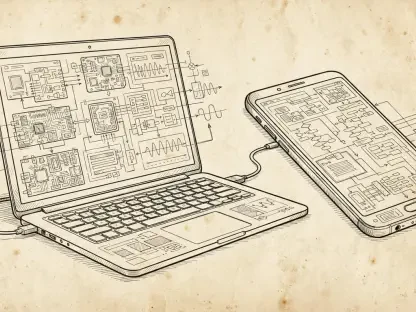

The seamless digital ecosystem that allows you to respond to text messages from your laptop while your smartphone sits across the room has quietly become one of the most significant security trade-offs in modern computing history. While Microsoft Phone Link offers an undeniable level of productivity by bridging the gap between mobile and desktop environments, it simultaneously opens a back door that bypasses traditional security boundaries. This integration, meant to provide convenience, has inadvertently created a centralized repository of sensitive data that is now being harvested by specialized malware.
The Invisible Bridge: Convenience vs. Vulnerability
The convenience of viewing notifications on a large monitor comes with a hidden cost: the centralization of your digital identity. By mirroring Android and iOS data onto a Windows machine, users are effectively duplicating their most sensitive security tokens—their SMS messages—onto a platform that faces a completely different set of threats than a mobile device. This bridge creates a single point of failure where a compromise on one device leads to the total loss of privacy on the other.
Cybercriminals have recognized that attacking a smartphone directly is often difficult due to sandboxed operating systems. However, by targeting the Windows environment where Phone Link resides, they can gain access to mobile data without ever touching the handset. This shift in strategy demonstrates that the more integrated our lives become, the more fragile our individual security layers are, as the weakest link in the chain now governs the safety of the entire system.
The Evolution: Cross-Device Synchronization Risks
As the boundary between personal computers and mobile devices continues to blur, the “glue” connecting these platforms has become the primary target for modern exploitation. The integration of Phone Link into Windows 10 and 11 ensures that message history and real-time notifications are stored locally. This trend toward total integration means that any malicious actor who gains a foothold on a desktop can monitor high-stakes communications, such as bank alerts or private personal exchanges, in real-time.
This evolution in risk is not just about data theft; it is about the loss of account control. Because mobile-secured accounts often rely on the assumption that only the physical phone holder can see incoming texts, the synchronization of these texts to a PC negates that fundamental security premise. The synchronization feature effectively turns a secure second factor of authentication into a vulnerable file sitting on a hard drive.
Anatomy of the Threat: The Pheno Plugin
Security analysts at Cisco Talos recently identified a specialized update to the CloudZ remote access trojan, which utilizes a dedicated component known as the Pheno plugin. This malware does not need to infect a smartphone to be effective; instead, it targets the Windows environment to scrape data from a local SQLite database. This specific database is where Phone Link caches message history, meaning the malware can quietly read every text you receive while you work.
The technical brilliance of this attack lies in its passivity. By monitoring for active Phone Link sessions, the Pheno plugin intercepts one-time passwords (OTPs) as they arrive, allowing attackers to log into accounts before the victim even notices the notification. This method bypasses the need for complex phishing schemes, as the attacker simply waits for the victim to request a login code and then steals it from the synchronized database.
Evasion Tactics: Technical Sophistication
The CloudZ RAT is engineered to remain invisible for extended periods, frequently rotating through various hardcoded user-agent strings to mask its communication. This ensures that its traffic remains indistinguishable from standard web browsing, allowing it to exfiltrate data without alerting network security tools. Beyond the theft of 2FA codes, the malware grants actors nearly total control over the host, including the ability to record screens and execute commands.
This level of sophistication underscores a growing reality in the cybersecurity landscape: relying on SMS for security is no longer a viable defense. The ability of the malware to manipulate files and manipulate the host system means that even if a user is diligent, the background processes of their operating system are working against them. The persistent nature of these threats requires a fundamental shift in how we perceive “secure” communication channels.
Strengthening the Perimeter: Actionable Defense
To safeguard your accounts, the most effective step was to transition away from SMS-based authentication entirely. Moving to dedicated authenticator applications or physical hardware security keys ensured that login codes never entered the interceptable text format that Phone Link synchronizes. These methods required a physical presence or an encrypted local app, making it impossible for a remote PC-based trojan to scrape the necessary credentials.
Users also took the initiative to audit their Phone Link settings, specifically disabling the synchronization of sensitive notifications. By limiting the digital footprint of mobile data on their desktops, they reduced the surface area available for malware like the Pheno plugin to exploit. Maintaining a robust, multi-layered security suite on Windows remained a critical baseline, but the shift toward hardware-based security provided the most definitive protection against the vulnerabilities inherent in cross-device integration.