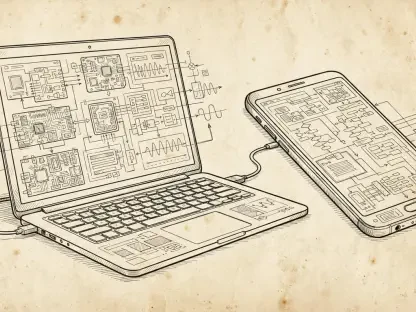

The relentless pursuit of higher megapixel counts and blistering processor speeds often blinds modern smartphone users to the sophisticated software architecture that truly defines their mobile experience. While hardware serves as the skeletal framework of any device, the actual utility emerges from the nuanced layers of the Android operating system. As the platform matures through the latest versions, the industry is witnessing a strategic shift away from flamboyant visual gimmicks toward a philosophy of quiet innovation. This evolution prioritizes the refinement of existing frameworks over radical, disruptive changes, rewarding those who venture beyond factory settings. For the observant user, the current ecosystem offers an expansive toolkit designed to handle complex logical tasks with minimal friction. This transition reflects a broader understanding that the most powerful technology is often that which resides in the background, subtly enhancing the efficacy of every digital interaction. Unlocking the potential of these devices requires a departure from the superficial metrics of the past and an embrace of the functional depth that modern software engineering provides.
Streamlining Daily Workflows
Productivity: Multitasking and System Integration
Productivity on mobile devices has traditionally been limited by physical screen size, yet contemporary software solutions have effectively bypassed these constraints through intelligent multitasking tools. Split-screen mode and picture-in-picture functionality allow users to manage multiple streams of information simultaneously, which is essential for cross-referencing data or attending virtual meetings while taking notes. These features are not merely additive; they represent a fundamental change in how mobile hardware is utilized for professional labor. By enabling a dual-window environment, the system allows for a level of fluidity that was once reserved for desktop computers. Furthermore, the integration of drag-and-drop capabilities between supported applications has reduced the cognitive load associated with moving text or images across different platforms. This ecosystem encourages a workflow where the mobile device acts as a primary workstation rather than a secondary consumption tool. Consequently, those who master these window management techniques find themselves significantly more capable of handling intensive tasks while on the move.
The depth of system integration extends further into the navigation of settings, where long-pressing icons within the Quick Settings menu provides immediate access to granular controls. Instead of diving through multiple layers of the main settings application, users can quickly modify network parameters, Bluetooth configurations, or power-saving modes with a single gesture. This design choice highlights a commitment to efficiency, recognizing that time spent navigating menus is time lost from productive activity. Additionally, the customization of the status bar allows for the prioritization of critical information, ensuring that only the most relevant alerts occupy the user’s immediate field of vision. These shortcuts represent a significant part of the hidden potential within the software, as they streamline the interaction between the human and the machine. By tailoring these entry points to match specific professional requirements, an individual can transform a standard consumer device into a highly optimized tool for specialized operations. This level of control is a hallmark of the platform’s commitment to user-centric functional design.
Connectivity: Seamless Data Sharing and Network Management
Managing digital interactions in an increasingly connected world requires tools that prioritize both speed and security, particularly when sharing sensitive network information. The ability to share Wi-Fi credentials via encrypted QR codes has eliminated the friction and security risks associated with typing complex passwords in public or professional settings. This feature simplifies the onboarding process for guests and colleagues, reflecting a broader trend toward secure and seamless connectivity that does not compromise user privacy. Moreover, the evolution of local sharing protocols has made the transfer of large files between nearby devices nearly instantaneous, bypassing the need for cloud-based intermediaries. This direct communication between hardware units ensures that data remains within a controlled environment, reducing the risk of interception or unauthorized access. Such connectivity tools are essential for maintaining a fast-paced professional environment where information must move freely but securely. These improvements represent the quiet innovation that defines the current technological landscape.
Subtle improvements in how the system handles communication history also play a vital role in maintaining a consistent and reliable digital workflow for the modern user. Notification History acts as a sophisticated safety net, allowing individuals to recover alerts, messages, or system updates that may have been accidentally dismissed during a busy workday. This log provides a chronological record of all interactions, ensuring that no critical piece of information is lost due to a simple swiping error. Beyond simple recovery, this tool allows for a better understanding of one’s digital footprint and the frequency of various application interruptions. By reviewing these logs, users can identify patterns in their communication and adjust their notification settings to better suit their focus requirements. This feature exemplifies the platform’s shift toward providing users with more comprehensive data about their own habits and interactions. The result is a more resilient user experience where the fear of missing important updates is mitigated by robust system-level archives. These tools collectively empower users to manage their connectivity with a high degree of precision.
Accessibility and Digital Health
Universal Utilities: Beyond the Standard User Interface
One of the most significant shifts in the development of mobile software is the transformation of accessibility tools into universal utilities that benefit a diverse range of users. Live Caption, for instance, utilizes on-device machine learning to provide real-time text for any audio source, whether it is a video call, a social media clip, or a recorded memo. This functionality is invaluable not only for the hearing impaired but also for individuals working in noisy environments or those who prefer to consume content silently in public spaces. The accuracy and speed of these captions have improved significantly, demonstrating the power of dedicated on-device intelligence. Similarly, the Read Aloud feature has gained traction among professionals who need to consume long articles, reports, or emails while engaged in other physical tasks. By converting written text into natural-sounding speech, the system allows for hands-free information gathering, effectively turning any text-based content into a podcast-like experience. This versatility showcases how inclusive design can drive innovation that improves the quality of life for the entire user base.
Beyond audio-visual assistance, the system addresses the psychological impact of constant smartphone use through a suite of digital wellbeing tools designed to restore balance. Focus Mode is a standout feature that allows users to temporarily pause distracting applications, creating a sanitized digital environment conducive to deep work or academic study. By manually intervening in the attention economy, individuals can reclaim control over their time and focus, reducing the constant pull of social media and non-essential notifications. These tools also provide detailed insights into screen time and application usage, allowing for a more informed approach to digital habits. Setting strict boundaries for app usage helps combat the negative effects of digital overstimulation, promoting a more mindful relationship with technology. This proactive approach to mental health is a critical component of the modern mobile experience, recognizing that the software should serve the user’s goals rather than exploit their attention. The integration of these features into the core system underscores a commitment to the long-term health and productivity of the global user community.
Strategic Progress: Outcomes of Enhanced System Awareness
The transition toward a software-centric evaluation of mobile devices demonstrated that the true value of the Android ecosystem was found in its ability to adapt to individual needs. The exploration of hidden system layers revealed that the most significant advancements were not located in the exterior hardware but in the services that anticipated user requirements. By prioritizing software literacy, individuals gained the ability to transform a standard smartphone into a highly secure and efficient professional tool. The implementation of these strategies ensured that digital interactions became more intentional and less dictated by the distracting forces of the attention economy. Ultimately, the shift toward a deeper understanding of system features provided a sustainable path for managing technological growth. This approach allowed for a more balanced relationship between users and their devices, fostering an environment where privacy and productivity coexisted. The lessons learned from this transition established a new standard for how mobile operating systems were utilized in professional contexts, moving away from a reliance on hardware specifications toward a mastery of the integrated software environment.